We here at MCG are excited to announce the rollout of the Cypher character sheet on the Roll20 virtual tabletop platform. This elegant, full-featured character sheet is a wonderful asset for anyone who plays Cypher online. It’s the first in a series of steps to bring top-notch support for Cypher to the VTT realm.
You can roll dice directly from the character sheet. Applying Effort? It automatically adjusts your Pool points—and it calls out special roll results (extra damage or effects). Share details of abilities, gear, and skills via chat with a single click. A fluid design gives you a thoughtful layout at any screen size. And you can import characters directly from the new Cypher Tools Character Builder! (Find instructions below.)
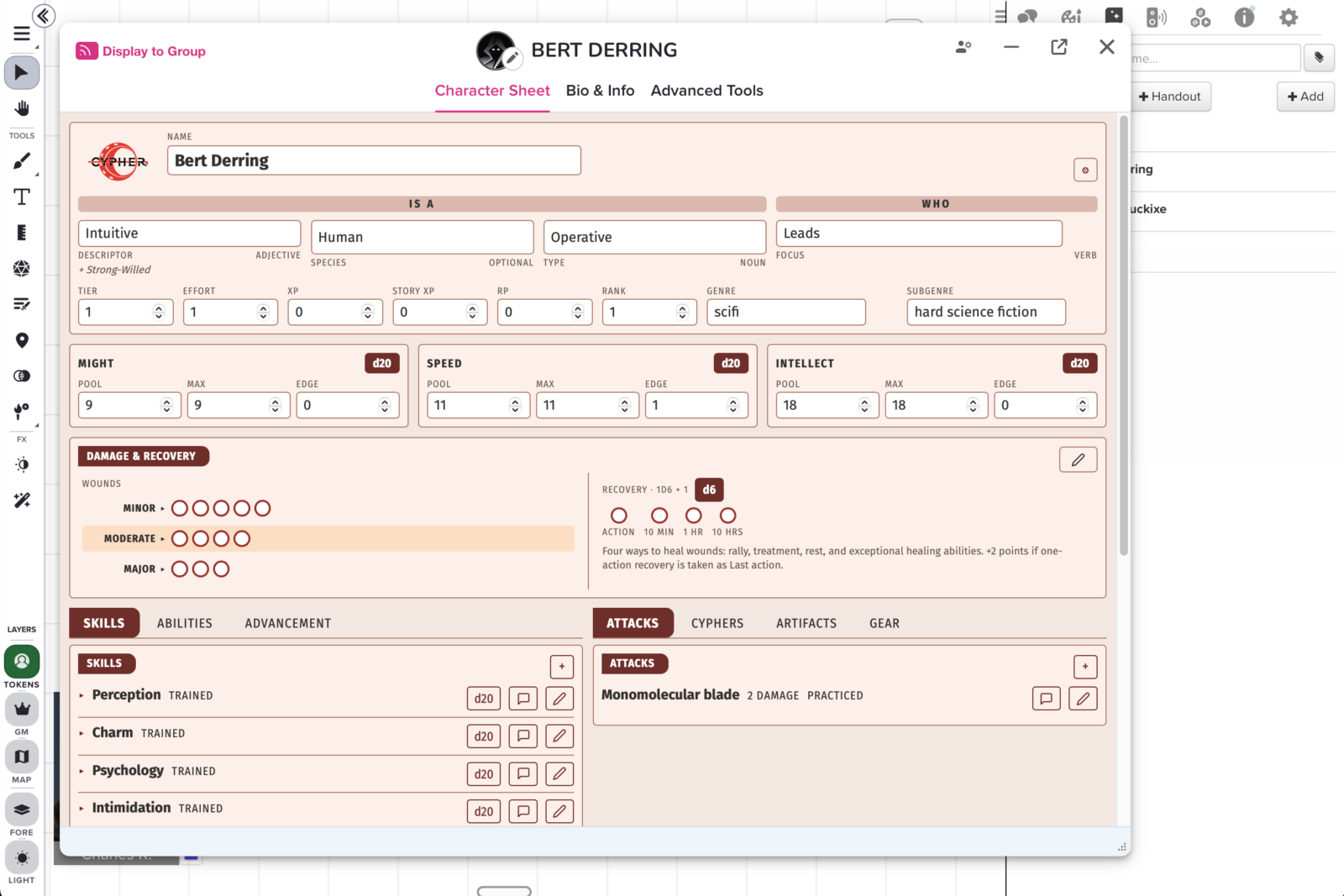
When we announced the new edition of Cypher last year, we committed to full VTT support—in fact, we included VTT implementation as a reward in the Cypher: Faster. Easier. And Even Better! crowdfunding campaign. We’ve been working diligently on bringing that support to life. The Roll20 Cypher character sheet is the first step, to be followed by the forthcoming Cypher rules compendium, asset packs, and Cypher support on additional VTT platforms.
The Cypher character sheet is available to the public and free to use now on Roll20!
To import a character from the Cypher Tools Character Builder to Roll20, follow these steps:
- In the Cypher Character Builder, from an open character (that you’ve just built, or that you selected from My Characters), click Export Characters in the upper right.
- Click Roll20 Cypher Sheet. The Character Builder will export a .json file; the filename will be your character’s name and sentence.
- In Roll20, open or create a game using the Cypher 2 by Monte Cook Games character sheet.
- Open or create a character within that game. Click through the general character info to the character sheet.
- Click the tiny gear icon in the upper right of the character sheet. (Note: not the larger gear icon at the top of the right-hand sidebar.)
- Under Import Character, click Choose File and select your .json file.
- Click the Replace Sheet confirmation button to overwrite the existing data in the character sheet with your imported character.