MCG Shop Shipping Alert For customers in the UK, EU, and EEA: As we migrate to a new shipping partner in the UK, orders for countries typically serviced by our UK partner will be fulfilled by our US warehouse. This might add a few extra days to your delivery time, but there should be absolutely no extra fees or duties. Our new shipping partner, Spiral Galaxy, will take over shipping our orders and crowdfunding rewards to UK, EU, and EEA customers and backers very soon. Thank you for your patience during this brief transition time.
Spells, creatures, and magic items from across the planes—and at your fingertips!
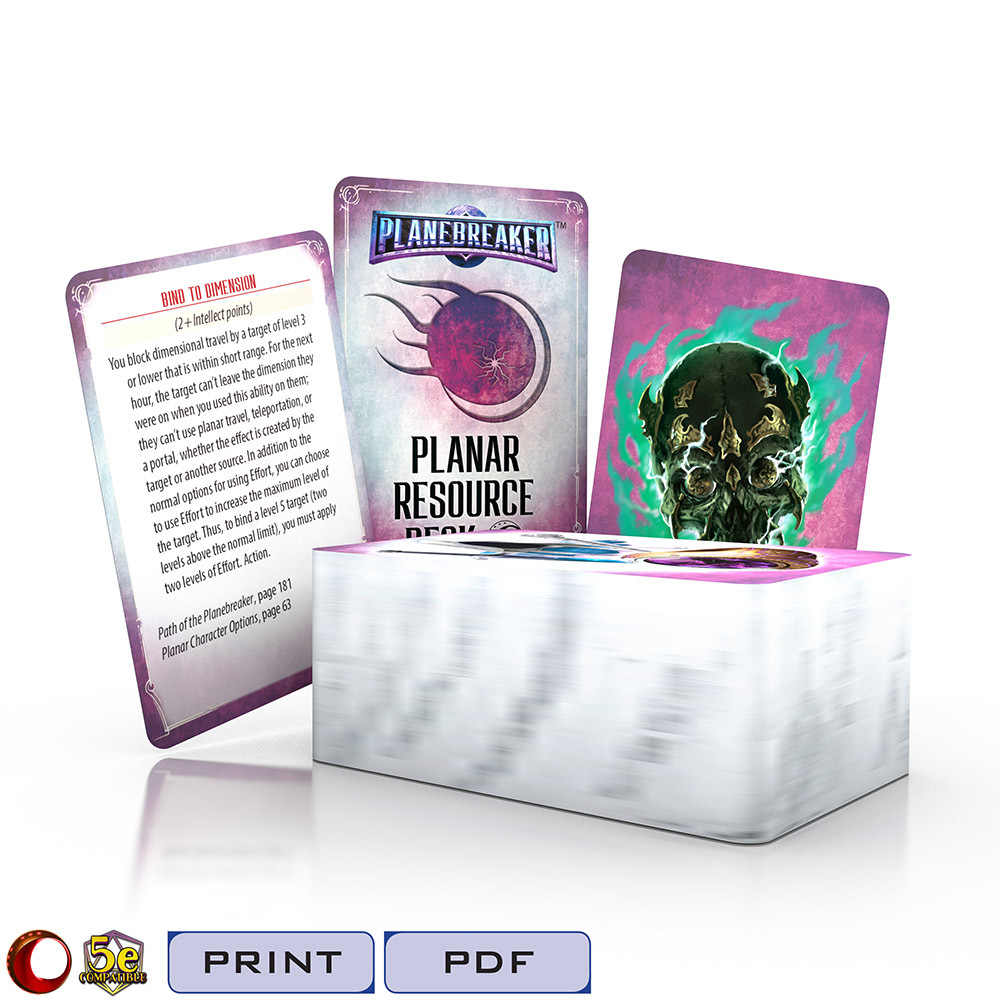
The planar multiverse is filled with an infinite range of fascinating and dangerous creatures, unusual magics, and strange and powerful magic items. This 100-card deck puts a selection of them at your fingertips, giving you convenient and easy access to magic items, spells, and monsters from Path of the Planebreaker, the Planar Bestiary, and Planar Character Options. Each card gives you key information you’ll need at the game table, saving time and lookups. If you need the more detailed listing, the book and page number are provided on the card.
The Cypher System version of the Planar Resource Deck includes:
26 spells and character abilities
10 cyphers
29 artifacts
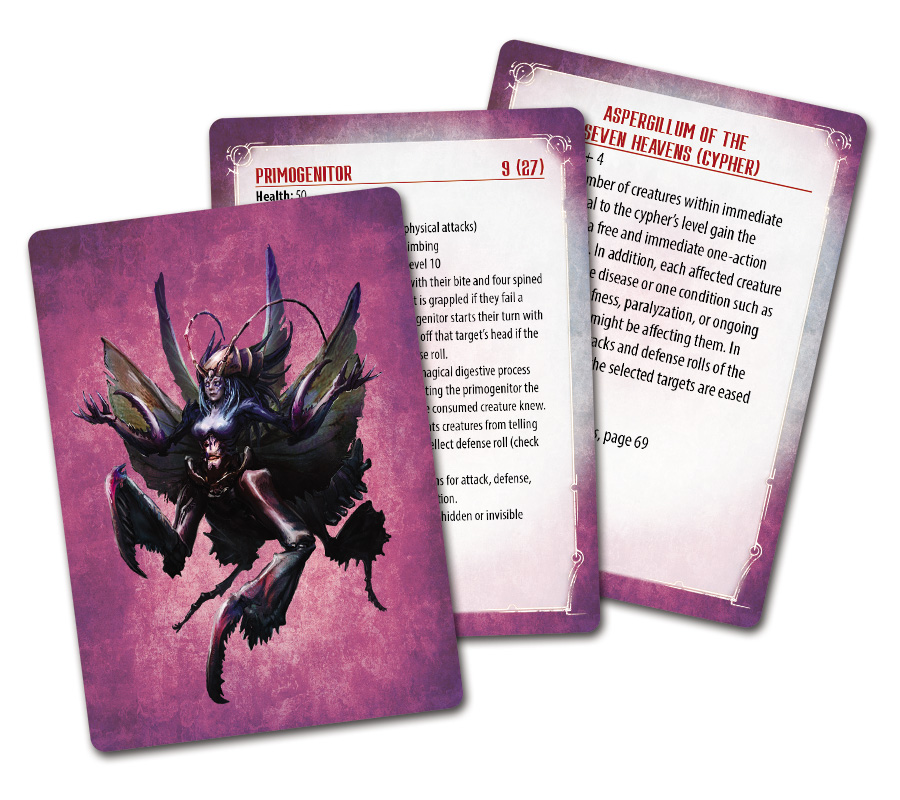
35 creatures with ready-to-reference stat blocks on the face, and an image of the creature to show the players on the card back!
The 5E version of the Planar Resource Deck includes:
33 spells
31 magic items
36 monsters with ready-to-reference stat blocks on the face, and an image of the creature to show the players on the card back!
Our Digital Decks and the Datasphere Deck Tool
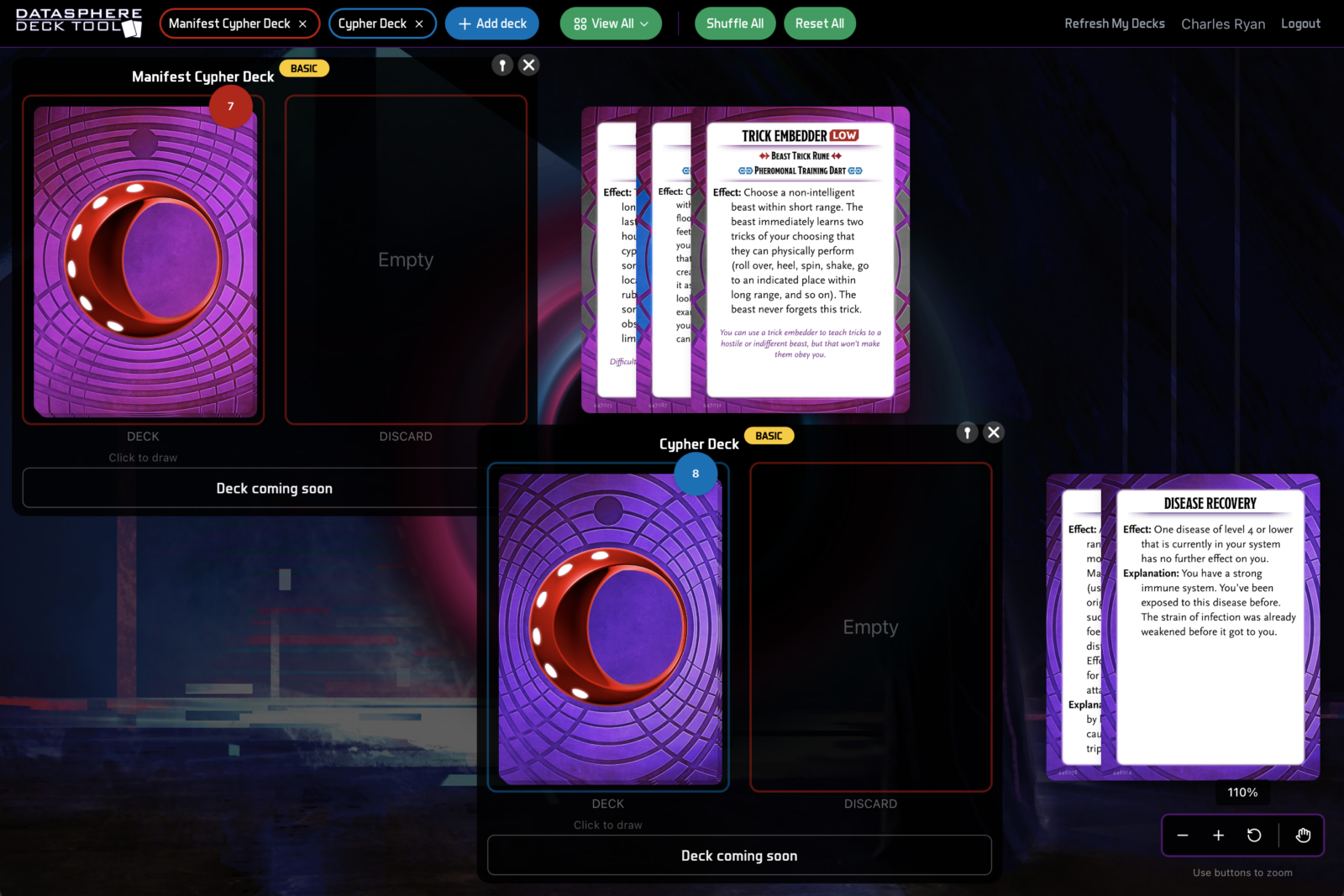
When you purchase one of our digital decks, you receive it not only in PDF format, but also via the Datasphere Deck Tool. This unique product format makes our digital decks as useful for online play as the print decks are at the physical game table. Draw random cards or view the entire deck and pick one. Copy the card image and “hand” it to your player via your VTT, in a Discord chat, or however you communicate when you play online. Or click to copy the text and send them just that. Peruse a deck easily, sort cards, or organize them as you see fit. The Datasphere Deck Tool gives your deck the same time-saving and inspirational utility in the digital space as a print deck delivers at the physical game table—and it’s free, in addition to the PDF file. (In fact, you will probably find the Datasphere Deck Tool to be much handier than the PDF.)
The Datasphere Deck Tool is easy and fun to use:
Purchase the digital deck here at the MCG Shop. (If you have purchased the PDF of the deck in the past, you don’t need to buy it again.)
Log in with the same username and password as you use here on the MCG Shop. You must log in via the MCG Shop to access your purchased decks.
Under Decks in the upper-left, click Add Deck.
You’ll see a list of all your purchased decks, and, below that, other available decks. Click on the deck you wish to use.
If you don’t see a deck you own, under your account icon (in the upper-right), select Refresh My Decks.
You can also the free basic decks—their card selection is limited, but they’re fully functional.
Click the deck to draw the top card. Or click the deck name in the Decks menu to see all of your cards—and pick the cards you want.
Once a card is out on the canvas, double-click it for a closer look. From there you can copy an image of the card, or the card text, to send to a player.
If you also want the deck in PDF, simply download it from your account on the MCG Shop.
The Datasphere Deck Tool is free to use. You can even use the basic (limited selection) versions of decks you don’t own yet!
PDF purchasers: To print your Planar Resource Deck, set your double-sided printer to short-edge binding and print on a cardstock material. Then, with a sharp utility knife and straight edge, use the crop marks as guides to trim the cards apart. If you don’t have a double-sided printer, print the pages individually and glue them back-to-back with a thin, even coat of adhesive. Before gluing, hold the back-to-back sheets up to a light source to ensure they are lining up correctly. The gutters between the cards give you a little bit of leeway if the two sides do not line up exactly.