The Datasphere Deck Tool makes our digital decks as effortlessly useful as our physical decks!
The free Datasphere Deck Tool is now live! Part of the Cypher Tools suite of handy online tools, this browser-based application makes our many decks—filled with cyphers, creatures, GM intrusions, and useful prompts—as handy, time-saving, and easy to use in the digital space as they are at the physical game table. Draw random cards or pick cards of your choosing. “Hand” cards to your players through a DM, a VTT chat, your Discord channel, or however you run your game online—just like you would at a physical game table. Sort your cards, or build custom decks with just the cards you want.
Your PCs have unexpectedly invited a traveler to share their campfire, and you need a few interesting details to flesh out that NPC—stat! Open the Datasphere Deck Tool and click on the NPC Deck. The free cards contain dozens of prompts for an NPC’s name, distinguishing features and behavior, skills, possessions, and more. And if you own (or purchase) the full NPC Deck, you’ll have 100 cards’ worth of prompts at your fingertips.
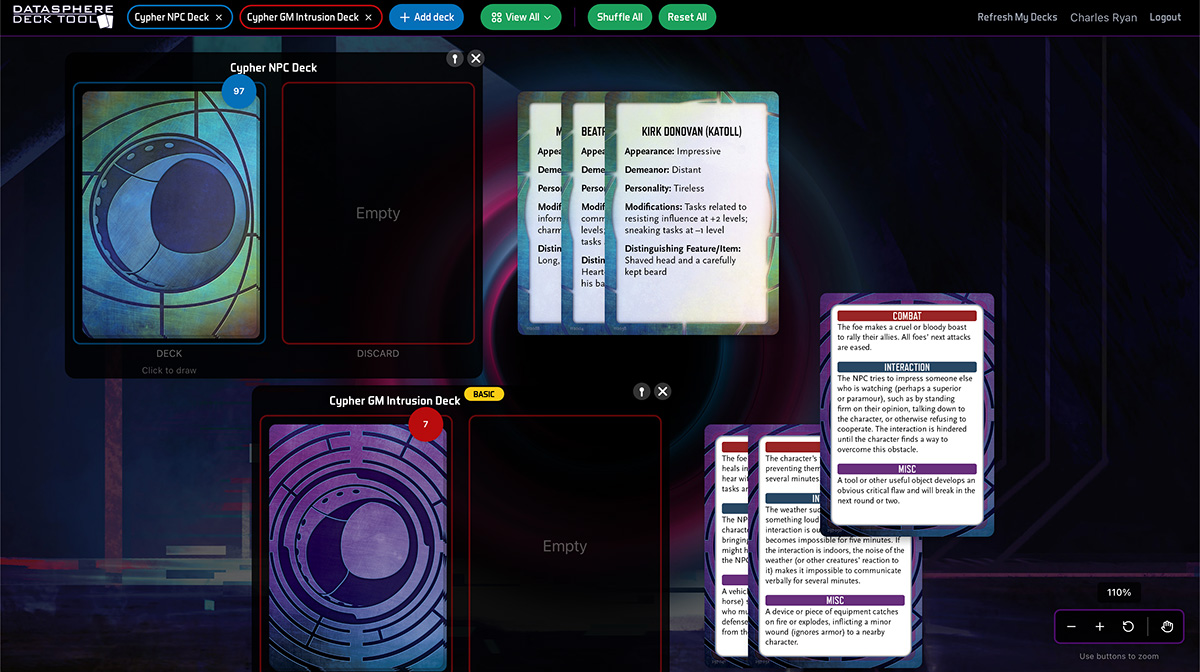
It’s free to use the Datasphere Deck Tool to generate a random encounter, come up with inspiration for an NPC, get a cool prompt for a GM Intrusion, select a cypher, or more, using the basic decks. If you log into the tool, the full version of any digital deck you’ve purchased from Monte Cook Games (including those received as crowdfunding rewards) will appear, giving you access to the complete full-sized deck. (And if you don’t already own the deck, you can purchase it on the spot!)
The Datasphere Deck Tool launches with the GM Intrusion Deck and NPC Deck. Additional decks from MCG’s entire back catalog will be added over the weeks to come, and all new decks will be released on the Datasphere Deck Tool concurrent with their physical release. Some features may not be available at launch, but the tool will be updated as relevant decks are added.
Try it!
Here are some of the ways the Datasphere Deck Tools makes MCG’s digital decks so easy to use:
- Draw random cards or pick cards of your choosing from any deck.
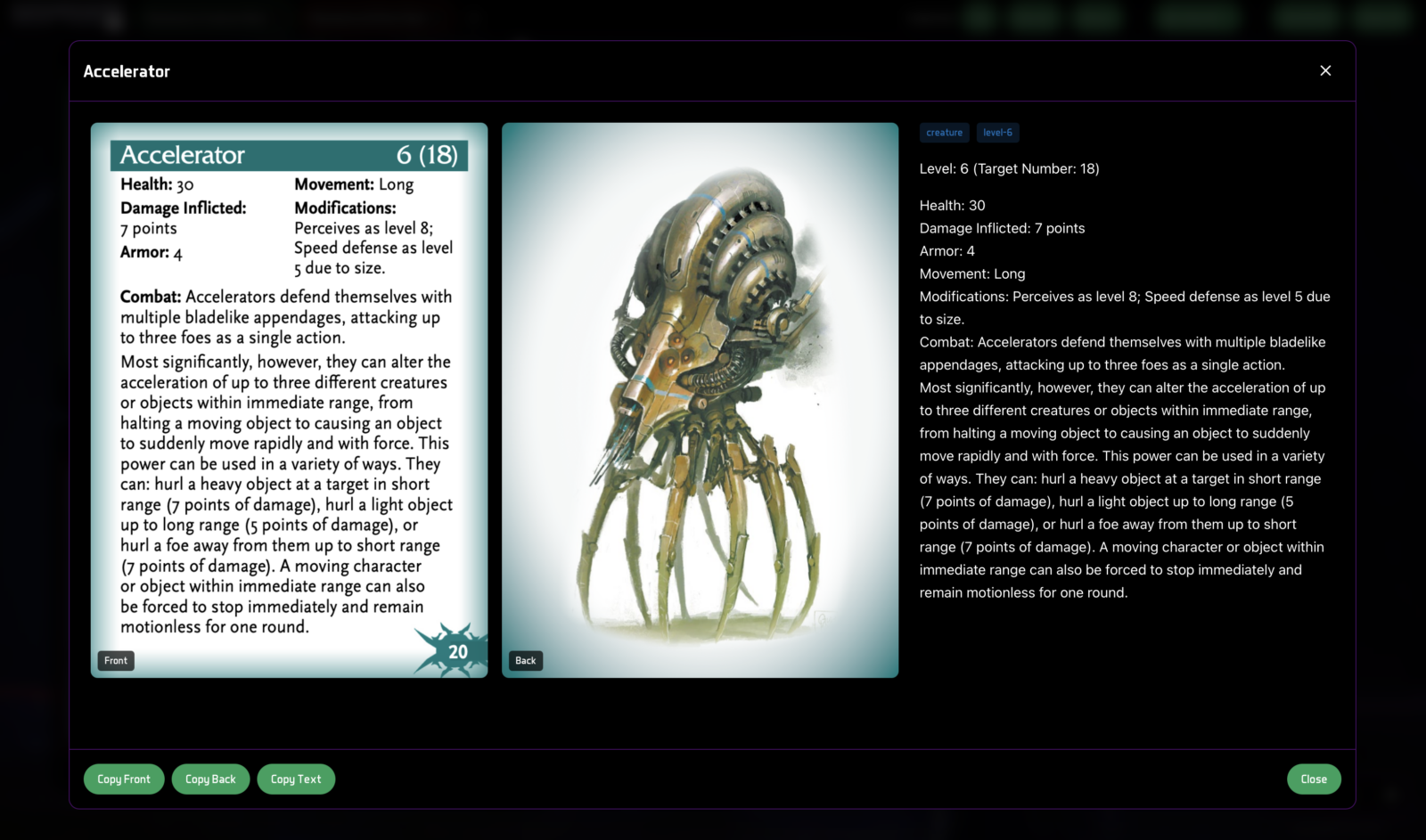
- Copy the card’s text or an image of the front or back with a single click, then “hand” the card to your players through a DM, a VTT chat, your Discord channel, or however you run your game online—just like you would at a physical game table.
- Peruse your decks easily, sort them, or organize them as you see fit. Organizing cards into custom decks, with cards from a variety of sources, is a forthcoming feature.
- And if you want the old-fashioned PDF of your deck, you can download it from the Datasphere Deck Tool—so standard PDFs remain part (but now just one part) of the digital version of the deck.
Here’s how to use it:
- Go to decks.cypher-rpg.com
- Click “Add Deck” to see a list of all available decks (the tool launches with the NPC Deck and GM Intrusion Deck, but others will be added).
- The basic version of the deck is free, even if you don’t log into the tool.
- Log in to see your full decks.
- Or click “Buy Complete” to purchase a full deck; once you’ve made the purchase click “Refresh My Decks” and your full deck will be available for use.
- Log in to access the full versions of decks you own. The process will take you to the MCG Shop, where you’ll use your MCG Shop account and password to log in. You must log in via the MCG Shop to access your purchased decks.
- Click the deck to draw the top card. Or click “View All” to see all of your cards—and pick the cards you want.
- Once a card is out on the canvas, double-click it for a closer look. From there you can copy an image of the card, or the card text, to send to a player.
- If you also want the deck in PDF, simply download it from your account on the MCG Shop.
Only digital decks purchased from the MCG Shop (including those received as crowdfunding rewards) will appear in the Datasphere Deck Tool. (Sorry, we simply have no way of providing access for decks that were purchased on DriveThruRPG or other platforms.) If you’ve ever purchased a deck in PDF from MCG, it will become available on the Datasphere Deck Tool. Existing decks will be added to the tool over the weeks to come, but it may take several months before the full back catalog is available—so if you don’t see a deck you own, be patient—it will appear soon!